Photo Save PRO for Facebook1.3
Publisher Description
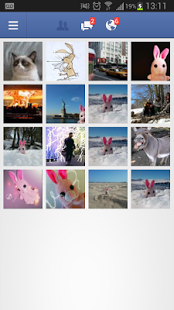
Photo Save PRO lets you save Facebook photos with only 1 tap. You don't need to open an external application. You just do it within Facebook app.
Configure the location to save the images (SD Card or Internal memory) and the folder's name.
How to Use:
1. Select the photo you want to save. Tap Menu -> Share -> and select this app -> Photo Save Pro for Facebook.
2. There's no second step :)
Features
No advertising
Save Facebook photos much faster
Save photos without losing Facebook app focus. (Just go to the next and repeat step 1)
Configure save location and folder (change them whenever you want)
Download photos to different folders
Download the image in the original quality
No special permissions required
To configure location, just open the app and toogle between Internal or External Storage. Then tap on the folder icon, and write the destination folder. The folder will be created and shown in the gallery.
If you like this app, don't forget to send stars!
Thanks
About Photo Save PRO for Facebook
The company that develops Photo Save PRO for Facebook is Bunny Labs. The latest version released by its developer is 1.3. This app was rated by 1 users of our site and has an average rating of 5.0.
To install Photo Save PRO for Facebook on your Android device, just click the green Continue To App button above to start the installation process. The app is listed on our website since 2013-08-17 and was downloaded 28 times. We have already checked if the download link is safe, however for your own protection we recommend that you scan the downloaded app with your antivirus. Your antivirus may detect the Photo Save PRO for Facebook as malware as malware if the download link to com.facebookphotospro is broken.
How to install Photo Save PRO for Facebook on your Android device:
- Click on the Continue To App button on our website. This will redirect you to Google Play.
- Once the Photo Save PRO for Facebook is shown in the Google Play listing of your Android device, you can start its download and installation. Tap on the Install button located below the search bar and to the right of the app icon.
- A pop-up window with the permissions required by Photo Save PRO for Facebook will be shown. Click on Accept to continue the process.
- Photo Save PRO for Facebook will be downloaded onto your device, displaying a progress. Once the download completes, the installation will start and you'll get a notification after the installation is finished.
Program Details
System requirements
Download information
Pricing
Version History
version 1.3
posted on 2013-08-17
version 1.2
posted on 2013-06-29
Several fixes and updates
